Omnistacked LMS

Your training.
One connected workspace.

Manage courses, support your instructors, and give learners a clear place to learn. Built for training institutes, professional academies, and corporate learning teams.

Omnistacked LMSInstructor workspace
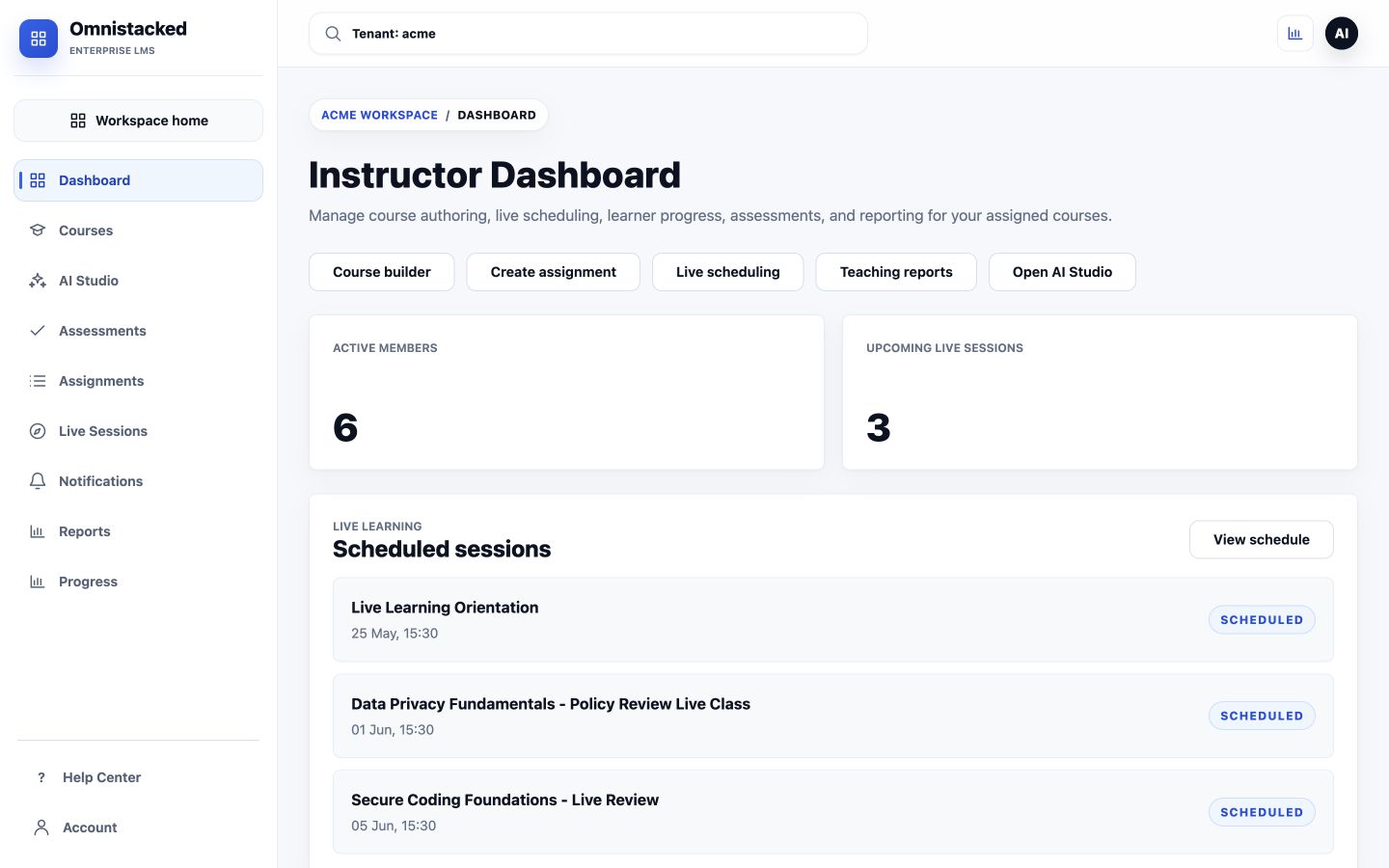
Actual Omnistacked LMS instructor dashboard with course builder, assessments, live scheduling, and teaching reports in the Acme demo workspace.
Actual product screen · Demo workspace, September 2026

For instructors

Give every course a clear structure.

Build courses around lessons, assignments, and assessments. Keep preparation and delivery in the same teaching workspace.

  • Organize course content and lessons
  • Create assessments and assignments
  • Schedule live learning sessions

Interested in AI-assisted creation? We’ll review the AI workflow and its availability for your pilot during the demo.
For learners

Make the next lesson easy to find.

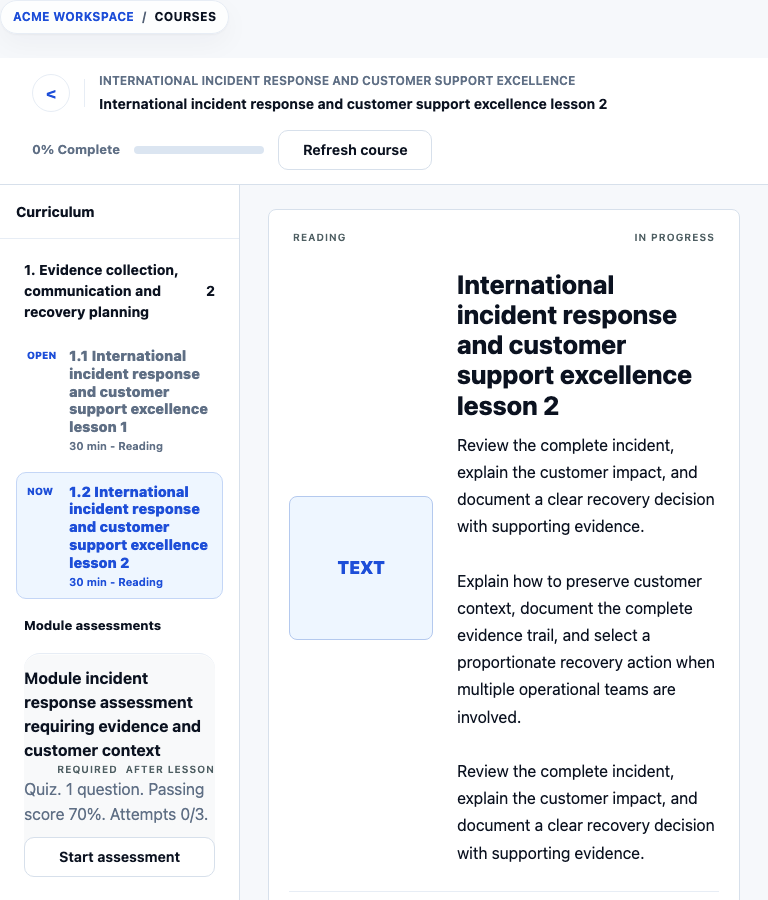
Give enrolled learners a dedicated workspace for their courses, assessments, and classes, with progress visible as they learn.

  • A course player with a visible curriculum
  • Assigned courses and learning activities
  • Access to live sessions and certificates

For your team

Know where to follow up.

Bring learner progress and assessment reporting into teaching decisions. Review the work completed and identify where learners need attention.

  • Learner progress visibility
  • Assessment results and teaching reports
  • Roles for administrators, instructors, and learners

See it with your use case

From a course idea to a learner’s next step.

Our demo follows a concrete journey, using sample data rather than customer information.

  1. Prepare a courseWalk through lessons and learning activities.
  2. Open the learner experienceSee how assigned content and assessments appear.
  3. Review the resultsExplore progress and discuss what your team needs to measure.
Request your walkthrough ↗
Omnistacked LMSLearner experience
Actual LMS course player showing a reading lesson, curriculum, and module assessment in the Acme demo workspace.
Actual product screen · Demo workspace, September 2026

Subscriptions & pilots

Start with a focused pilot.
Build from there.

Omnistacked LMS is offered as subscription software. Tell us about your learners, teaching workflow, and rollout needs so we can discuss a suitable pilot and subscription.

Contact for pricing ↗

Before we talk

Can I try the LMS before committing?

Start with a guided demo. We’ll discuss pilot access, scope, and terms for your use case before you make a commitment.

Can I use my existing course material?

Bring an example of the material you own or have permission to use. We’ll walk through how it can fit into the course workflow and confirm supported formats.

Is this for businesses or individual learners?

We’re currently working with businesses delivering training. Existing learners access their organization’s LMS. A direct-to-learner offer is not currently advertised here.

Do you offer a custom arrangement?

For specific deployment or licensing requirements, describe your needs in an enquiry. Availability and terms are discussed individually.

Start a conversation

Let’s talk about your next training program.

Bring your use case. We’ll walk through the LMS and discuss a focused pilot.

Request an LMS demo